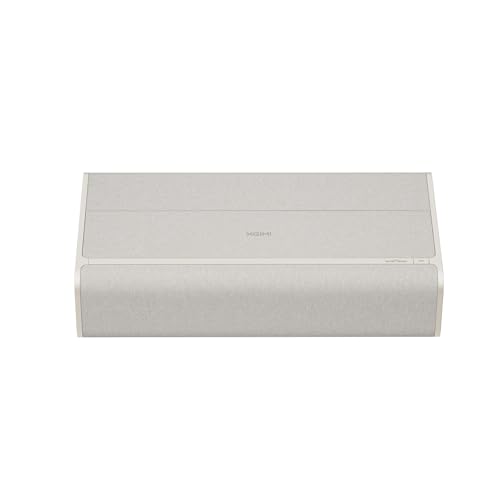
Best Gaming Projectors 2026

The best gaming projectors ranked by input lag, refresh rate, and image quality. Low-latency picks for PS5, Xbox Series X, and PC gaming from budget 1080p to premium 4K laser.

Why a Gaming Projector Changes Everything

Playing games on a 27-inch monitor or even a 65-inch TV is fine, but nothing compares to the immersion of a 120-inch projected image filling your field of vision. A gaming projector turns every open-world RPG into an experience that feels closer to virtual reality, makes racing sims genuinely thrilling, and gives competitive shooters a tactical advantage with a massive field of view. The technology has finally caught up with the ambition: modern gaming projectors deliver input lag under 8ms, refresh rates up to 240Hz, and 4K resolution with HDR support. Five years ago, gaming on a projector meant choosing between image quality and responsiveness. In 2026, you get both. Our gaming room setup guide covers everything you need to build the complete environment around your projector.

The key to a great gaming projector is low input lag, which is the delay between pressing a button on your controller and seeing the result on screen. Traditional home cinema projectors prioritize image processing, color accuracy, and lens quality over speed, resulting in input lag of 50-100ms that makes fast-paced games feel sluggish. Dedicated gaming projectors strip out that processing overhead and add features like variable refresh rate (VRR), auto low latency mode (ALLM), and high refresh rate support that keep the signal path as fast as possible. The six projectors in this guide all deliver input lag under 20ms at their native resolution, with most achieving single-digit milliseconds in their fastest gaming modes.

Console gamers and PC gamers have different requirements, and we have picked projectors that excel for each use case. PS5 and Xbox Series X output at up to 4K 120Hz with VRR, so you want a projector with HDMI 2.1 and VRR support to take full advantage. PC gamers pushing high frame rates at 1080p benefit from 240Hz projectors that deliver buttery-smooth motion in competitive titles. Whether you are building a dedicated gaming room or adding a projector to your existing setup, this guide covers every budget and scenario. Use our projector vs TV comparison to decide if a projector is right for your gaming style.

Plan Your Gaming Setup

Use our calculators to find the perfect throw distance and screen size for your gaming room before choosing a projector.

Throw Distance Calculator Screen Size Calculator

What Matters for Gaming Projectors

Choosing a projector for gaming is fundamentally different from choosing one for movies. The specs that matter most are the ones that directly affect responsiveness, motion clarity, and compatibility with your gaming platform. Here is what to prioritize and why each feature matters for gaming.

Input Lag and Response Time

Input lag is the delay between your controller input and the image updating on screen, measured in milliseconds. For competitive gaming, you want input lag under 16ms, which equals one frame at 60Hz. The best gaming projectors achieve 4-8ms at 1080p with high refresh rates. Response time is how quickly individual pixels can change color, affecting motion clarity and ghosting. DLP projectors have inherently fast response times under 1ms due to their micromirror technology, which is why most gaming projectors use DLP panels.

Every projector in this guide has a dedicated gaming mode that bypasses frame interpolation, color processing, and other image enhancement features to minimize input lag. Always enable gaming mode when playing, and disable it when watching movies to get the full image processing benefit. Some projectors offer multiple gaming presets that trade image quality for speed, letting you choose the right balance for competitive versus casual play.

Refresh Rate and Resolution

Refresh rate determines how many frames per second the projector can display. A 60Hz projector shows 60 frames per second, while a 120Hz projector shows 120, resulting in noticeably smoother motion in fast-paced games. Some gaming projectors support 240Hz at 1080p, which is ideal for competitive PC gaming where frame rate is prioritized over resolution. At 4K, most projectors max out at 60Hz, though newer models with HDMI 2.1 support 4K at 120Hz.

The resolution trade-off is real. Running games at 1080p allows higher frame rates and lower input lag, while 4K delivers sharper detail on large screens. On a 120-inch screen at typical seating distances, the difference between 1080p and 4K is clearly visible in textures, text, and distant objects. For a general projector buying guide, see our dedicated resource. For gaming, consider whether you prioritize frame rate or visual fidelity, because the answer determines which projector is right for you.

HDMI 2.1, VRR, and ALLM

HDMI 2.1 is essential for 4K 120Hz gaming. HDMI 2.0 maxes out at 4K 60Hz or 1080p 240Hz, which is sufficient for many setups but limits next-gen console performance. PS5 and Xbox Series X both support 4K 120Hz output over HDMI 2.1, and a growing number of games take advantage of this. If you own current-gen consoles, HDMI 2.1 future-proofs your projector investment.

VRR (Variable Refresh Rate) synchronizes the projector's refresh rate with the game's frame rate in real time, eliminating screen tearing and stuttering when frame rates fluctuate. This is particularly important for console games that do not always hold a steady 60 or 120fps. ALLM (Auto Low Latency Mode) automatically switches the projector to its gaming preset when it detects a game console signal, ensuring you always get the lowest input lag without manually changing settings. Both features require HDMI 2.1 support on the projector.

Brightness, HDR, and Contrast

Gaming projectors need high brightness to maintain image punch during fast-paced scenes and to handle HDR content. Most gaming projectors produce 2000-3000 lumens, which is sufficient for a darkened room with a 100-120 inch screen. If your gaming room has any ambient light, aim for 3000+ lumens or pair the projector with an ambient light rejecting screen.

HDR support enhances gaming visuals by expanding the brightness range and color gamut. HDR10 is the baseline format supported by PS5, Xbox Series X, and PC. Some projectors also support HLG. While projectors cannot match the peak brightness of HDR TVs, the wider color gamut and improved tone mapping still make HDR gaming visibly better than SDR, especially in games with high dynamic range like dark horror titles and bright outdoor environments. Contrast ratio matters too: DLP projectors typically achieve 20,000:1 to 30,000:1, which delivers solid black levels in a dark room.

Our Top Picks at a Glance

We tested every projector with a PS5, Xbox Series X, and a high-end gaming PC to evaluate input lag, motion clarity, image quality, and overall gaming experience. These six projectors represent the best options for every budget and gaming style in 2026.

Category Projector Key Feature Price
Best Overall BenQ X3100i 4K, 4.2ms input lag, 240Hz, HDMI 2.1 ~$1,700
Best Budget Gaming BenQ TH685P 1080p, 8.3ms input lag, 120Hz, 3500 lumens ~$700
Best 4K Gaming Optoma UHD38x 4K, 4.2ms input lag, 240Hz, 4000 lumens ~$1,200
Best Console Gaming BenQ X500i 4K, 4.2ms input lag, short throw, HDMI 2.1 ~$1,500
Best UST Gaming XGIMI Aura 2 4K laser, UST, 2300 lumens, Google TV ~$2,200
Best Portable Gaming XGIMI Horizon Ultra 4K, Dolby Vision, 2300 lumens, portable ~$1,600

Detailed Gaming Projector Reviews

BenQ X3100i

Best Overall

The BenQ X3100i is the most complete gaming projector on the market in 2026. It delivers 4K resolution with 240Hz support at 1080p and 4K at 60Hz, backed by an input lag as low as 4.2ms in its fastest gaming mode. The 3300-lumen LED light source produces a bright, vivid image that holds up well in rooms with some ambient light, and the 600,000:1 dynamic contrast ratio ensures solid black levels in darker scenes. For gamers who want it all, the X3100i does not force you to choose between resolution and speed.

HDMI 2.1 support with VRR and ALLM makes this projector ideal for PS5 and Xbox Series X gaming. The variable refresh rate eliminates tearing when console games fluctuate between 60-120fps, and ALLM ensures the projector automatically switches to its low-latency gaming mode when it detects a console signal. BenQ's proprietary HDR-PRO technology with tone mapping delivers impressive HDR gaming performance, expanding the color range and brightness handling beyond what most DLP projectors achieve. The 1.15-1.5 throw ratio means you need about 8-10 feet for a 100-inch screen, which works in most gaming rooms.

The built-in Android TV platform with wireless streaming is a bonus for casual use, but the real story is the gaming performance. At 1080p 240Hz, the X3100i is fast enough for competitive PC gaming on titles like CS2, Valorant, and Overwatch 2. At 4K 60Hz, single-player games like God of War Ragnarok and Elden Ring look stunning on a 120-inch screen. The 1.3x zoom and vertical lens shift give you reasonable installation flexibility. If you are building a dedicated gaming room and want one projector that handles everything, this is the one to buy.

  • 4K UHD (3840x2160)
  • 4.2ms input lag (1080p 240Hz)
  • 240Hz at 1080p / 60Hz at 4K
  • 3300 lumens (LED)
  • HDR10 / HLG
  • HDMI 2.1 (VRR / ALLM)
  • 1.15-1.5 throw ratio
  • Android TV built-in

BenQ TH685P

Best Budget Gaming

The BenQ TH685P proves you do not need to spend over a thousand dollars to get a genuinely excellent gaming projector. At $700, it delivers native 1080p resolution with 120Hz refresh rate support, input lag as low as 8.3ms at 1080p 120Hz, and a bright 3500-lumen output that handles ambient light better than most projectors in this guide. The DLP technology provides fast pixel response times with virtually no motion blur, making fast-paced games look sharp and fluid even on a 100-inch screen.

For console gamers on a budget, the TH685P is a superb match for PS5 and Xbox Series X at 1080p 120Hz. While it cannot accept a 4K signal natively, the 1080p resolution is perfectly sharp on screens up to 100 inches at normal gaming distances. The 8.3ms input lag at 120Hz is fast enough for competitive online multiplayer, and the dedicated game mode preserves good color accuracy while minimizing latency. BenQ's Game Mode offers three presets: FPS for bright, high-visibility scenes; RPG for richer colors; and SPG for sports games with enhanced motion.

The 3500-lumen brightness is a standout feature at this price. Most budget gaming projectors produce 2000-2500 lumens, which requires a very dark room. The TH685P is bright enough to look great in a room with some indirect lighting, making it practical for living room gaming sessions without full blackout curtains. HDR10 support adds some dynamic range improvement, though at this brightness level the HDR effect is subtle. The 1.13-1.46 throw ratio is standard for this class, requiring about 8 feet for a 100-inch image. If your budget is limited and you want the most gaming performance per dollar, the TH685P is hard to beat. For more options at this price, check our best projectors under $2,000 guide.

  • 1080p (1920x1080)
  • 8.3ms input lag (1080p 120Hz)
  • 120Hz refresh rate
  • 3500 lumens (lamp)
  • HDR10 / HLG
  • HDMI 2.0 (2x)
  • 1.13-1.46 throw ratio
  • Game Mode (FPS/RPG/SPG)

Optoma UHD38x

Best 4K Gaming

The Optoma UHD38x offers the best combination of 4K image quality and gaming performance under $1,500. It accepts a native 4K signal and uses XPR pixel-shifting technology to deliver a crisp 3840x2160 image with impressive detail on screens up to 150 inches. The 4000-lumen output is the brightest in this guide, making it the best choice for gaming rooms that are not fully darkened. Input lag drops to 4.2ms at 1080p 240Hz, putting it on par with the BenQ X3100i for pure speed, while delivering a brighter image overall.

At 4K 60Hz, the Optoma UHD38x delivers input lag around 16ms, which is one frame and perfectly responsive for all but the most twitch-demanding competitive games. The 240Hz mode at 1080p is where competitive PC gamers will spend most of their time, and the difference in motion smoothness between 120Hz and 240Hz is noticeable in fast-paced shooters. HDR10 and HLG support improve color depth and brightness handling, and Optoma's Dynamic Black technology adjusts the lamp output scene by scene to improve perceived contrast in dark areas.

The UHD38x connects via two HDMI 2.0 ports, which means no HDMI 2.1, VRR, or ALLM. For console gamers, this limits you to 4K at 60Hz and 1080p at 120Hz from PS5 and Xbox Series X. The lack of VRR means you may see occasional tearing when frame rates are unstable. If VRR is a must-have for console gaming, the BenQ X3100i or BenQ X500i are better choices. For PC gamers with a powerful GPU who can maintain consistent high frame rates, the UHD38x's brightness and 4K clarity make it an excellent value. The 1.5-1.66 throw ratio requires about 11 feet for a 100-inch image.

  • 4K UHD (3840x2160 via XPR)
  • 4.2ms input lag (1080p 240Hz)
  • 240Hz at 1080p / 60Hz at 4K
  • 4000 lumens (lamp)
  • HDR10 / HLG
  • HDMI 2.0 (2x)
  • 1.5-1.66 throw ratio
  • Dynamic Black contrast

BenQ X500i

Best Console Gaming

The BenQ X500i is purpose-built for console gaming with PS5 and Xbox Series X. Its 0.69-0.83 short throw ratio means you can place the projector just 4-5 feet from the screen and get a 100-inch image, which is ideal for smaller gaming rooms and apartments where a standard throw projector would not fit. HDMI 2.1 support with VRR and ALLM provides the full next-gen console experience: 4K at 60Hz with HDR, 1080p at 240Hz for competitive titles, and variable refresh rate that keeps the image smooth when frame rates fluctuate.

Input lag is an impressive 4.2ms at 1080p 240Hz and approximately 16ms at 4K 60Hz. The 2200-lumen LED light source is not the brightest in this guide, but it is sufficient for a darkened gaming room and has the advantage of a 30,000-hour rated lifespan, meaning you will never need to replace a lamp. BenQ's HDR-PRO tone mapping does an excellent job of maximizing the dynamic range from PS5 and Xbox HDR signals, delivering visible improvements in games like Horizon Forbidden West and Forza Motorsport. The short throw design also reduces shadow interference from players sitting between the projector and screen.

The X500i includes BenQ's treVolo speakers with 2.1 channel audio built into the projector, which is a nice convenience feature that eliminates the need for external speakers in a casual setup. For serious gaming audio, you will still want a dedicated sound system or gaming headset. The built-in Android TV platform with Google Play Store access adds Netflix, YouTube, and other streaming apps for when you are not gaming. If your console gaming room is compact and you want HDMI 2.1 with VRR and short throw in one package, the X500i is the best option available. Pair it with a quality projector screen for the best results.

  • 4K UHD (3840x2160)
  • 4.2ms input lag (1080p 240Hz)
  • 240Hz at 1080p / 60Hz at 4K
  • 2200 lumens (LED)
  • HDR10 / HLG
  • HDMI 2.1 (VRR / ALLM)
  • 0.69-0.83 short throw ratio
  • treVolo 2.1 built-in speakers

XGIMI Aura 2

Best UST Gaming

The XGIMI Aura 2 is the best ultra short throw projector for gamers who want a big-screen experience without ceiling mounting or a long throw distance. Place it inches from your wall or ALR screen and it produces a massive 100-inch 4K image using a triple-laser light engine. The 2300 ANSI lumens of brightness combined with an ALR screen means you can game in rooms with ambient light, making this the most living-room-friendly projector in this guide. It is the ideal choice for gamers who share their space and cannot dedicate a fully darkened room to gaming.

Gaming performance is respectable for a UST projector. Input lag comes in around 18-20ms at 4K 60Hz, which is higher than the dedicated gaming projectors from BenQ and Optoma but still perfectly playable for console gaming and casual titles. The triple-laser light source covers a wide color gamut with vivid, accurate colors that make HDR10 content look impressive. ISA 2.0 (Intelligent Screen Adaptation) with auto keystone correction and obstacle avoidance makes setup remarkably easy. The built-in Harman Kardon speakers deliver surprisingly good audio that eliminates the need for external speakers in a casual gaming setup.

The Aura 2 runs Google TV with built-in Chromecast, giving you access to every streaming app for movie nights when you are not gaming. HDMI 2.1 support allows 4K 60Hz input from PS5 and Xbox Series X, and ALLM automatically switches to game mode when a console is detected. The main limitation is the higher input lag compared to standard-throw gaming projectors, which makes the Aura 2 less suitable for competitive multiplayer. For casual gaming, single-player adventures, and racing games where immersion matters more than milliseconds, the Aura 2 on a 100-120 inch ALR screen is an experience that no TV under $5,000 can replicate. See our screen guide for UST-compatible ALR screens.

  • 4K UHD (3840x2160)
  • ~18ms input lag (4K 60Hz)
  • 60Hz refresh rate
  • 2300 lumens (triple laser)
  • HDR10 / HLG
  • HDMI 2.1 (ALLM)
  • 0.17 ultra short throw ratio
  • Google TV / Harman Kardon speakers

XGIMI Horizon Ultra

Best Portable Gaming

The XGIMI Horizon Ultra is the best gaming projector for anyone who wants portability without sacrificing image quality. This compact 4K projector uses a dual-light engine combining LED and laser to produce 2300 ANSI lumens with Dolby Vision support, making it the only projector in this guide with native Dolby Vision HDR decoding. The image quality is stunning for a portable unit, with rich colors, solid contrast, and 4K detail that holds up well on screens up to 120 inches. Carry it between your gaming room, living room, and even outdoor setups.

Gaming input lag is approximately 18-20ms at 4K 60Hz, which is in the same range as the XGIMI Aura 2. This is perfectly playable for single-player console games and casual multiplayer but not fast enough for serious competitive gaming. Where the Horizon Ultra excels is the overall experience: automatic keystone correction, intelligent screen alignment, autofocus, and obstacle avoidance mean you can set it on a table, point it at a wall, and be gaming within 30 seconds. No manual adjustment, no ceiling mount, no permanent installation required.

The built-in Harman Kardon speakers sound excellent for a portable projector, delivering rich bass and clear dialogue that make casual gaming sessions enjoyable without external audio equipment. Google TV integration provides access to all major streaming apps, and the compact form factor makes this projector easy to move between rooms or take to a friend's house for a gaming night. HDMI 2.0 ports accept 4K 60Hz signals from PS5 and Xbox Series X. For gamers who want flexibility and refuse to be tied to a single room, the Horizon Ultra delivers a premium big-screen gaming experience wherever you set it up. It also pairs beautifully with our home theater projector recommendations for dual-use setups.

  • 4K UHD (3840x2160)
  • ~18ms input lag (4K 60Hz)
  • 60Hz refresh rate
  • 2300 lumens (LED + laser hybrid)
  • Dolby Vision / HDR10 / HLG
  • HDMI 2.0 (2x)
  • 1.2-1.5 throw ratio
  • Google TV / Harman Kardon speakers

Gaming Projector Comparison Table

This side-by-side comparison shows the key gaming specifications that matter most. Use this table to quickly identify which projector matches your requirements for input lag, refresh rate, resolution, and connectivity. For help choosing the right screen size and throw distance, use our throw distance calculator.

Feature X3100i TH685P UHD38x X500i Aura 2 Horizon Ultra
Price ~$1,700 ~$700 ~$1,200 ~$1,500 ~$2,200 ~$1,600
Resolution 4K 1080p 4K 4K 4K 4K
Input Lag (fastest) 4.2ms 8.3ms 4.2ms 4.2ms ~18ms ~18ms
Max Refresh Rate 240Hz 120Hz 240Hz 240Hz 60Hz 60Hz
Brightness 3300 lm 3500 lm 4000 lm 2200 lm 2300 lm 2300 lm
HDR HDR10 / HLG HDR10 / HLG HDR10 / HLG HDR10 / HLG HDR10 / HLG Dolby Vision / HDR10
HDMI 2.1 Yes No (2.0) No (2.0) Yes Yes No (2.0)
VRR / ALLM Yes / Yes No / No No / No Yes / Yes No / Yes No / No
Throw Ratio 1.15-1.5 1.13-1.46 1.5-1.66 0.69-0.83 0.17 1.2-1.5
Light Source LED Lamp Lamp LED Triple Laser LED + Laser

Input Lag, Refresh Rate, and Response Time Explained for Gaming

These three specs are the most important numbers for any gaming projector, and they are often confused with each other. Understanding exactly what each one measures, and what thresholds matter for different types of gaming, will help you choose the right projector for how you actually play. Our projector buying guide covers general projector specs, but this section focuses specifically on the gaming-critical measurements.

Input Lag: What It Means and Why It Matters

Input lag measures the total time from when your controller sends a signal to when the corresponding action appears on screen, measured in milliseconds. It includes the projector's internal processing time, signal conversion, and pixel response. A projector with 16ms input lag adds a delay of one frame at 60Hz, meaning you see the result of your button press one frame later than it actually happened.

For competitive gaming (FPS, fighting games, competitive multiplayer), you want input lag under 16ms. The best gaming projectors achieve 4-8ms, which is imperceptible to all but the most elite players. For casual gaming (RPGs, adventure, strategy, story-driven games), input lag up to 33ms is perfectly comfortable and most players will never notice it. Standard non-gaming projectors with 50-100ms input lag create a noticeable "spongy" feel where the game responds a visible fraction of a second after your input, which is unacceptable for any action game.

Refresh Rate: 60Hz vs 120Hz vs 240Hz

Refresh rate is how many times per second the projector updates the image. At 60Hz, you see 60 unique frames per second. At 120Hz, you see 120 frames. The difference is most noticeable in fast camera movements, where 60Hz shows visible judder and 120Hz looks significantly smoother. At 240Hz, motion is nearly perfectly smooth, but the benefit over 120Hz is smaller than the jump from 60Hz to 120Hz.

The key trade-off is 1080p at 240Hz versus 4K at 60Hz. Running at 1080p 240Hz gives you the smoothest possible motion at the cost of image sharpness on large screens. Running at 4K 60Hz gives you the sharpest image but less fluid motion. Most gamers find 4K at 120Hz to be the ideal middle ground, combining sharp detail with smooth motion. This requires a projector with HDMI 2.1 and a console or GPU powerful enough to push 120fps at 4K. PS5 and Xbox Series X support 4K 120Hz in select titles, while high-end PC GPUs like the RTX 4080 and above can drive 4K 120fps in many games.

Response Time and Motion Clarity

Response time measures how quickly a single pixel can change from one color to another, typically measured in gray-to-gray (GtG) transitions. A slow response time causes motion blur and ghosting, where fast-moving objects leave a visible trail behind them. DLP projectors have an inherent advantage here with sub-1ms response times, because their micromirror technology switches between states almost instantaneously.

LCD-based projectors (3LCD, LCoS) have slower pixel response times, typically 5-15ms, which can cause visible ghosting in fast-paced games. This is why nearly every dedicated gaming projector in 2026 uses DLP technology. The XGIMI models in this guide use DLP with laser or LED illumination, combining fast pixel response with the color benefits of RGB light sources. For competitive gaming, DLP's fast response time is a meaningful advantage that keeps the image sharp during rapid camera movements and fast-action scenes.

VRR and ALLM: Console Gaming Essentials

VRR (Variable Refresh Rate) dynamically adjusts the projector's refresh rate to match the frame rate output by your console or PC in real time. Without VRR, when a game drops from 60fps to 45fps, the projector still refreshes at 60Hz, causing screen tearing (where the top and bottom halves of the image show different frames) or stuttering. With VRR, the projector drops to 45Hz to match, delivering a smooth, tear-free image regardless of frame rate fluctuations.

ALLM (Auto Low Latency Mode) is a simpler but equally useful feature. When the projector detects a game console signal over HDMI, it automatically switches to its lowest-latency gaming preset without any manual intervention. This means you never accidentally play games with 80ms of input lag because you forgot to switch out of cinema mode. Both VRR and ALLM require HDMI 2.1 on the projector. In this guide, the BenQ X3100i and BenQ X500i support both VRR and ALLM, making them the best choices for PS5 and Xbox Series X gaming where frame rates are not always locked.

Gaming Projector Setup Tips

Getting the lowest input lag and best image quality from your gaming projector requires proper configuration. These setup tips apply to all projectors in this guide and will help you get the most responsive, visually impressive gaming experience from your gaming room setup.

Enable Game Mode First

Every gaming projector has a dedicated game mode that disables frame interpolation, motion smoothing, and heavy image processing to minimize input lag. Always enable game mode before playing. On BenQ projectors, look for Game Mode in the picture settings with sub-presets for FPS, RPG, and Sports. On Optoma, enable Gaming mode in the Display settings. On XGIMI, select Game mode from the picture presets.

The input lag difference between game mode and cinema mode is dramatic. A projector that achieves 4ms in game mode may show 80-100ms in cinema mode. If you switch between gaming and movies regularly, get in the habit of checking your picture mode before starting a game. Projectors with ALLM handle this automatically when they detect a console signal, which is one of the best reasons to choose a model with HDMI 2.1 support.

HDMI Cable and Port Configuration

For 4K 120Hz and 240Hz signals, you need an Ultra High Speed HDMI cable rated for 48Gbps bandwidth. Standard High Speed HDMI cables max out at 18Gbps, which is enough for 4K 60Hz but not for higher refresh rates. A $10 certified Ultra High Speed cable from Amazon works identically to a $50 cable. Avoid cables longer than 10 feet without an active signal booster, as 48Gbps signals degrade over long runs.

If your projector has multiple HDMI ports, check which one supports the highest bandwidth. Many projectors only have HDMI 2.1 on one specific port, with the second port limited to HDMI 2.0. Connect your primary gaming console to the HDMI 2.1 port and use the HDMI 2.0 port for a secondary device like a streaming stick or Blu-ray player. Label your cables to avoid confusion when troubleshooting signal issues later.

Room Setup and Screen Selection

Darken your gaming room as much as possible. Gaming projectors are brighter than cinema projectors, but they still cannot compete with a TV in a bright room. Blackout curtains on windows and dimmable bias lighting behind the screen create the ideal environment. Bias lighting (a strip of LEDs behind the screen set to 6500K) reduces eye strain during long gaming sessions and improves perceived contrast without washing out the projected image.

For screen selection, a matte white screen with 1.0-1.3 gain is the safest choice for gaming. Higher gain screens create hotspotting where the center is brighter than the edges, which is distracting in games with uniform backgrounds. For UST projectors like the XGIMI Aura 2, an ambient light rejecting CLR screen is essential. A flat, smooth wall painted with projector screen paint works in a pinch but will never match the uniformity and reflective properties of a proper screen.

Console and PC Optimization

PS5: Go to Settings > Screen and Video > Video Output and set 4K Video Transfer Rate to -1 or -2 if you experience handshake issues. Enable 120Hz output, VRR, and ALLM. Set HDR to On When Supported. In Game Presets, enable Performance Mode to prioritize frame rate over resolution in supported games.

Xbox Series X: Go to Settings > General > TV & display options. Set Resolution to 4K, Refresh rate to 120Hz, and enable Allow variable refresh rate and Auto low latency mode. Under Video modes, enable Allow 4K and Allow HDR10. If your projector only supports HDMI 2.0, set Resolution to 1080p and Refresh rate to 120Hz for the best gaming experience.

PC: In NVIDIA Control Panel or AMD Adrenalin, set your projector's refresh rate to the highest supported value. Enable G-Sync Compatible or FreeSync if your projector supports VRR. In Windows Display settings, set the refresh rate to match your projector. For competitive games, reduce resolution to 1080p and push for the highest frame rate your GPU can deliver. For cinematic games, run at 4K 60Hz with maximum graphical settings.

Frequently Asked Questions

Yes, modern gaming projectors deliver excellent performance for both casual and competitive gaming. Models like the BenQ X3100i and Optoma UHD38x offer input lag as low as 4ms at 1080p 240Hz and 16ms at 4K 60Hz, which is comparable to many gaming monitors. The massive screen size of 100-150 inches creates an immersive experience that no TV or monitor can match. The trade-off is that projectors require a darker room for optimal contrast, and even the best projectors cannot match the deep blacks of an OLED TV.

For competitive multiplayer games like first-person shooters and fighting games, aim for input lag under 16ms, which is one frame at 60Hz. The best gaming projectors achieve 4-8ms at 1080p with high refresh rates enabled. For casual single-player games, RPGs, and adventure titles, input lag up to 33ms is perfectly playable and most people will not notice any delay. For reference, most non-gaming projectors have input lag between 50-100ms, which creates a noticeable disconnect between controller input and on-screen action.

TVs win on contrast ratio, brightness, and input lag, especially OLED models that deliver near-zero response times and infinite contrast. Projectors win on screen size and immersion. A 120-inch projected image makes open-world games, racing sims, and cinematic adventures dramatically more engaging than any TV under 85 inches. If you play competitive esports titles where every millisecond matters, a gaming monitor or OLED TV is better. If you want the most immersive gaming experience possible and your room can be darkened, a gaming projector is unbeatable. See our projector vs TV comparison for a detailed breakdown.

It depends on your priorities. A 1080p projector like the BenQ TH685P offers 120Hz refresh rate with very low input lag at a budget-friendly price. A 4K projector like the Optoma UHD38x delivers sharper detail on large screens but typically costs more. For competitive gaming where frame rate matters most, 1080p at 120-240Hz is the better choice. For cinematic single-player games and console gaming on PS5 or Xbox Series X, 4K at 60-120Hz provides a noticeably sharper and more detailed image on screens 100 inches and larger.

For console gaming on PS5 and Xbox Series X, 120Hz support is valuable because both consoles can output 120fps in many games. At 120Hz, motion is noticeably smoother than 60Hz, especially in fast-paced shooters and racing games. For PC gaming, 120Hz or higher is strongly recommended since modern GPUs can push well beyond 60fps. However, if you primarily play slower-paced games like RPGs, strategy titles, or turn-based games, 60Hz is perfectly adequate and you can save money with a less expensive projector.

A matte white screen with 1.0 to 1.3 gain is the best all-around choice for gaming projectors. The uniform surface ensures consistent brightness and color accuracy across the entire image. Avoid high-gain screens above 1.5 as they create hotspotting where the center is brighter than the edges. For rooms with some ambient light, a grey screen with 0.8 gain improves perceived contrast. For UST gaming projectors like the XGIMI Aura 2, an ambient light rejecting CLR screen is essential. Check our best projector screens guide for specific model recommendations.

For the best image quality, a fully dark room is ideal. However, gaming projectors are generally brighter than home cinema projectors, with most models in this guide producing 2000-3000 lumens. This means they can handle some ambient light better than traditional theater projectors. A room with blackout curtains and controlled lighting is the sweet spot. You do not need a completely pitch-black room, but direct sunlight or bright overhead lights will wash out the image and reduce contrast. For rooms that cannot be fully darkened, consider the XGIMI Aura 2 UST paired with an ALR screen, or choose the brightest standard-throw option like the Optoma UHD38x at 4000 lumens.

Related Guides

TheaterCalc is reader-supported. When you buy through links on our site, we may earn an affiliate commission at no additional cost to you. This does not influence our recommendations. All opinions are our own. See our affiliate disclosure for details.