Golf Simulator Projector Setup

Calculate the right projector, screen size, and mounting position for your indoor golf simulator.

Quick answer

A golf simulator needs a UST projector with a 0.2 to 0.4 throw ratio sitting 1 to 2 feet from the impact screen, out of the ball flight path. Aim for 2,500 lumens minimum with 3,000 to 3,500 preferred, a 10 to 14 foot wide impact screen, and a room at least 10 by 15 by 9 feet.

Golf Simulator Calculators

Two numbers decide the build: the golf simulator throw distance calculator turns your impact screen size and mounting space into the throw ratio you need, and the golf simulator lumens calculator sets the brightness that keeps ball flight data readable. Our UST and home theater projector reviews cover the models that meet both.

The reason a sim bay cannot use an ordinary projector is distance: a 120 inch screen needs 7.8 to 15.7 feet of throw distance from a standard-throw model, which puts it squarely in the ball flight path.

Golf Simulator Requirements

Ultra Short Throw Projectors

Golf simulators almost always need UST projectors (throw ratio under 0.4). The ball flight path blocks standard projectors. UST units sit below/beside the screen, out of the swing path. Throw ratio is the projector's distance from the screen divided by the screen's width, so a 0.4 throw ratio on a 10 foot wide impact screen means the projector sits 4 feet out.

Impact Screens

Golf impact screens are specialized - they absorb ball impact while maintaining projection quality. Standard projection screens will tear. Sizes typically range from 10' to 16' wide.

Room Dimensions

Minimum room: 10' wide × 15' deep × 9' tall. Ideal: 12'+ wide × 18'+ deep × 10' tall. Width matters for full swing clearance, depth for ball tracking accuracy.

Golf Simulator FAQ

UST projectors with throw ratios of 0.2-0.4 are standard for golf simulators. These sit just 1-2 feet from the screen, completely out of the ball flight path. Popular options include Hisense PX2-PRO and AWOL Aetherion Max (the LTV-3500 Pro successor).

Golf simulator software is typically bright with white UI elements. Aim for 2500+ lumens minimum. 3000-3500 lumens provides headroom for ambient light and ensures the ball tracking software displays remain visible.

Most golf simulators use 10-14 foot wide impact screens (120-170" diagonal). The screen should be wider than your swing arc and tall enough for high ball flights. 10' wide minimum, 12'+ recommended for immersion.

Entry-level (OptiShot) uses infrared sensors - affordable but less accurate. Mid-range (SkyTrak, Mevo+) use photometric/radar technology for better accuracy. Premium (Trackman, Foresight) offer tour-level precision. For home use, SkyTrak or Mevo+ offer the best value.

No. Golf ball impacts will destroy standard projection screens. You need a dedicated impact screen designed to absorb ball strikes at 150+ mph while maintaining projection quality. Carl's Place and HomeCourse make popular options.

Minimum 9 feet for most golfers with a driver. 10 feet is comfortable, and 11+ feet allows full swings for taller players. Measure your backswing height - your club should clear the ceiling by at least 6 inches at the top of your swing.

Quality matters for joint health. Cheap mats can cause wrist and elbow injuries over time. Fiberbuilt and Country Club Elite mats simulate real turf with proper give. Budget at least $300-500 for a mat that won't damage your body.

Front projection (UST below/beside screen) is most common and avoids shadows. Rear projection requires more depth (6+ feet behind screen) but eliminates shadow concerns. Most home setups use front projection UST for space efficiency.

E6 Connect and TGC 2019 are popular for course variety. GSPro offers excellent value with 100,000+ courses. For practice focus, FSX 2020 provides detailed analytics. Software choice often depends on launch monitor compatibility.

Side wall protection is recommended, especially for the first few feet on either side of the screen. Errant shots happen. Use foam panels, netting, or additional impact material. Protect windows and anything breakable within the hitting area.

Recommended Products

Hand-picked gear for every budget. These are affiliate links - we may earn a commission at no extra cost to you.

Budget Tier

OptiShot Orbit

OptiShot Orbit

Launch Monitor

Entry-level OptiShot simulator with Orion software, 20 courses and 3 practice ranges included and no subscription. Good for beginners and casual practice on a budget.
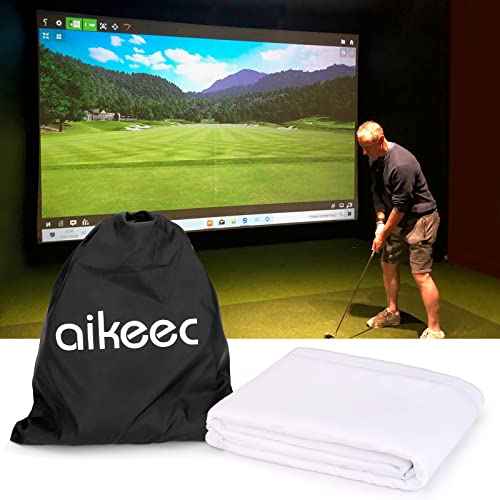
Aikeec Golf Impact Screen

Aikeec Golf Impact Screen

Impact Screen

7mm thick impact screen, 10 feet wide, with 32 grommets for bungee mounting. A low-cost screen for a first home simulator.
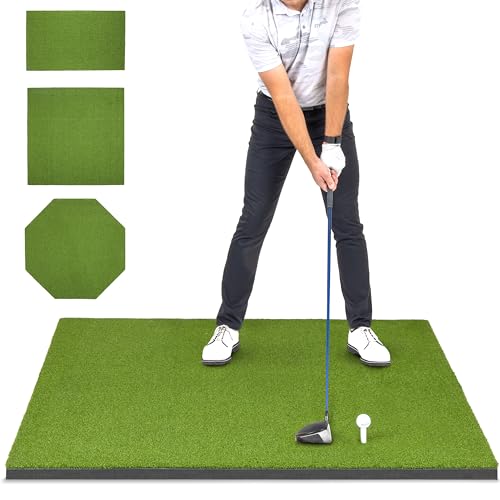
GoSports Elite Hitting Mat

GoSports Elite Hitting Mat (5 x 4 ft)

Hitting Mat

15mm artificial turf hitting mat in a 5 x 4 foot size, enough stance room for most clubs. A step up from thin big-box mats.

Mid-Range Tier

SkyTrak ST MAX

SkyTrak ST MAX

Launch Monitor

Photometric launch monitor with excellent accuracy. Works with most simulator software.

BenQ LK936ST

BenQ LK936ST

Projector

4K short-throw laser projector. Excellent brightness and image quality for simulators.

GoSports Golf Simulator Enclosure

GoSports 10 x 8 ft Enclosure with Impact Screen

Enclosure + Screen

Complete 10 x 8 foot enclosure: frame, side netting and a multi-layer impact screen built to reduce rebound.

Premium Tier

FlightScope Mevo Gen2

FlightScope Mevo Gen2

Launch Monitor

Portable 3D Doppler radar launch monitor with 18 data parameters and E6 simulation courses. Works indoors and at the range.

LG CineBeam 4K Laser UST

LG CineBeam 4K Laser UST

Projector

Ultra short throw 4K laser projector. Sits inches from the screen with stunning image quality.

Country Club Elite Mat

Country Club Elite Mat (4 x 5 ft)

Hitting Mat

Tour-quality hitting surface. The closest feel to real fairway turf available for home use.

Building the full golf sim, not just the projector?

Our sister site GolfSimCave covers the whole build: launch monitor picks by budget, room-fit checks for your exact dimensions, impact screens, mats, enclosures, and complete setup guides.

Plan your build on GolfSimCave →

Related Topics

Explore related setups and technologies